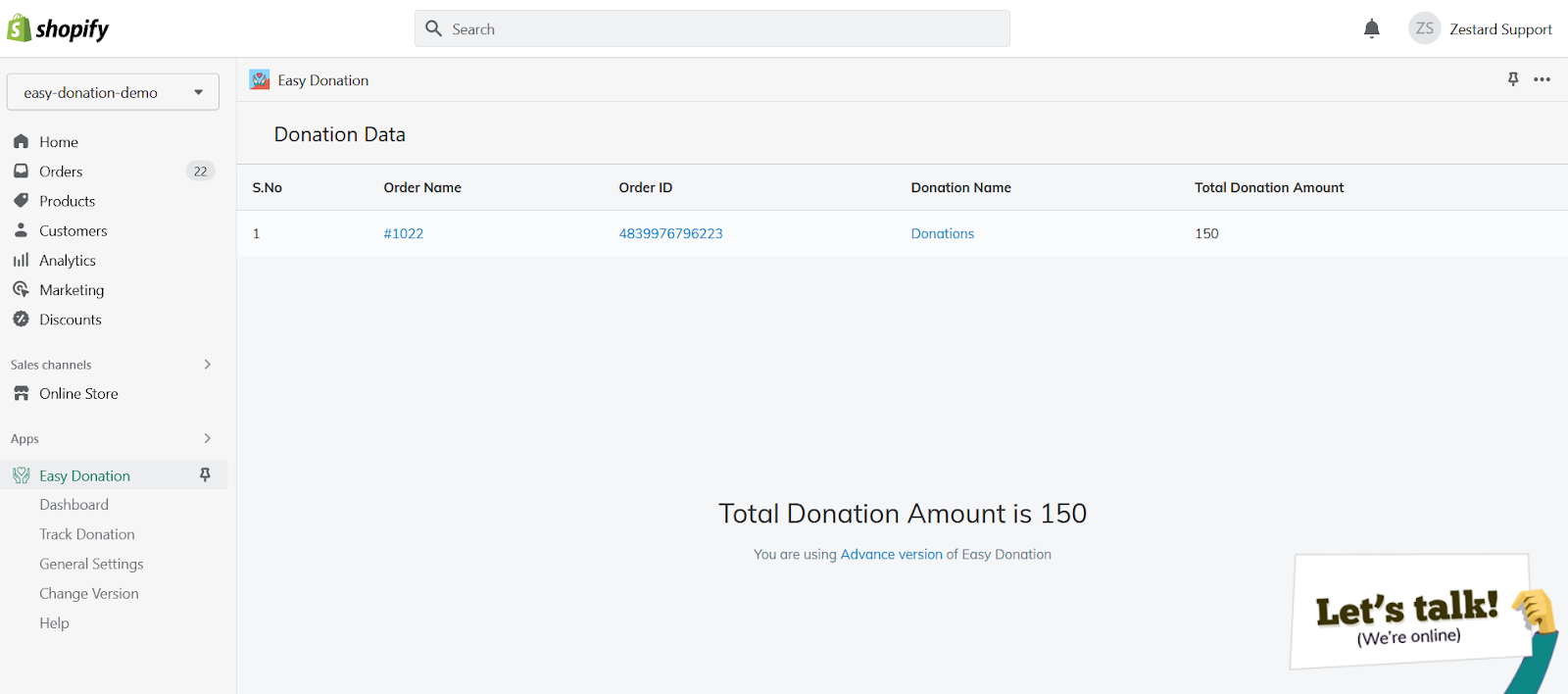
Donation Data does the similar thing as Track Donation does, it will give you more insights of how many donations you have received in total along with the Order ID, Donation Name, Amount, etc details at one place only.
Please refer below instructions for Donation Widget Configuration on the Stand-alone Donation Page for Theme 2.0. Go to Online Store > Pages Section Click on Add Page at the right hand side of the screen Give the Page Title as per your preference and ...
This feature will help you to track the donations you have received in total on a Yearly / Monthly basis for each Charity Organization. Select Charity Organization and Year from the Dropdown menu and click on Track button.
This appears when the Donation Snippet File is not added to your theme or if you have changed the theme recently. Please follow below steps in order to resolve the same: Make sure you have the snippet file inside your theme called ‘Donation.liquid’. ...
Please refer below instructions for Donation Widget Configuration on the Checkout Page for Theme 2.0 & Theme 1.0 both. → Add this part of the code from donation.liquid to your checkout template <div class='donation' page='cart' > <div ...